Custom Search
Showing posts with label Skype. Show all posts

Tuesday, October 7, 2014

How to Install Skype with all Dependencies using GDebi In Ubuntu

1)
Install gdebi
#sudo apt-get install gdebi

2)
Download Skype 

Download *.deb (skype-ubuntu-precise_4.3.0.37-1_i386.deb) package from http://www.skype.com/en/download-skype/skype-for-computer/

3)
Install Skype and all dependencies

Right Click on downloaded *.deb (skype-ubuntu-precise_4.3.0.37-1_i386.deb) package and and Open with "GDebi Package Installer"

OR

Goto Terminal and run following command
#gdebi skype-ubuntu-precise_4.3.0.37-1_i386.deb

Thursday, August 7, 2014

Networking How to force to send or broadcast ARP request

a)
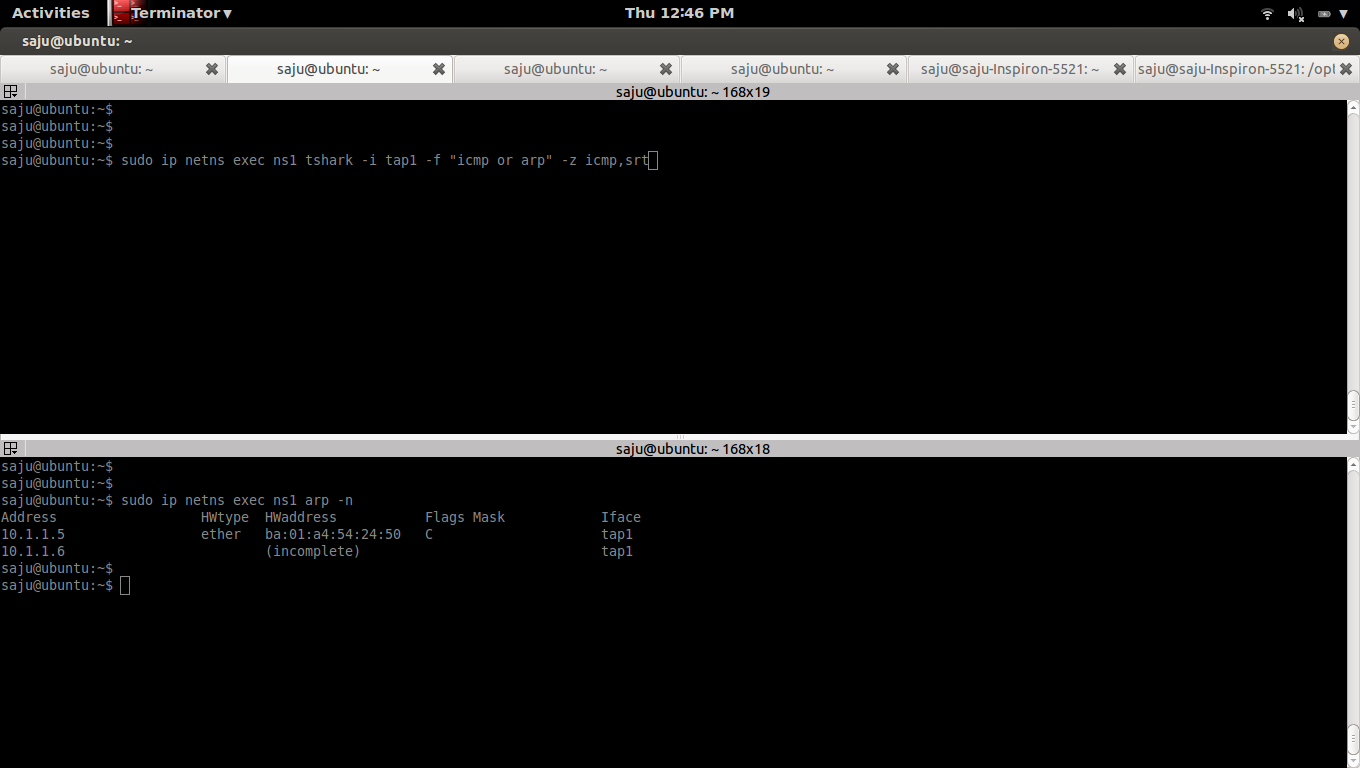
Capture the packets from the interface "tap1" in the namespace "ns1"
Compute total ICMP echo requests, replies, loss, and percent loss using the option "-z icmp,srt"
#sudo ip netns exec ns1 tshark -i tap1 -f "icmp or arp" -z icmp,srt

b)
List ARP table in the namespace "ns1"
#sudo ip netns exec ns1 arp -n
Address                  HWtype  HWaddress           Flags Mask            Iface
10.1.1.5                 ether   ba:01:a4:54:24:50   C                     tap1


c)
Clear ARP table in the namespace "ns1"
#sudo ip netns exec ns1 arp -d 10.1.1.5

d)
Ping from namespace "ns1"
#sudo ip netns exec ns1 ping 10.1.1.5


Tuesday, July 1, 2014

How to Install Skype in Ubuntu

How to Install Skype in Ubuntu

1)
(Optional) If you are using 64 bit version of Ubuntu

#sudo dpkg --add-architecture i386

2)
Update
#sudo apt-get update

3)
Install gdebi
#sudo apt-get install gdebi

4)
Download Skype
#wget http://download.skype.com/linux/skype-ubuntu-precise_4.3.0.37-1_i386.deb
5)
Install Skype
#sudo gdebi skype-ubuntu-precise_4.3.0.37-1_i386.deb

Wednesday, February 20, 2013

How to Install Skype on Fedora 18

How to Install Skype on Fedora 18

https://support.skype.com/en/faq/FA12120/getting-started-with-skype-for-linux

https://support.skype.com/en/faq/FA12120/getting-started-with-skype-for-linux#2.3

http://download.skype.com/linux/skype-4.1.0.20-fedora.i586.rpm

1) change directory to where the file "skype-4.1.0.20-fedora.i586.rpm" downloaded.
#cd Downloads


2) Install Skype
#yum install skype-4.1.0.20-fedora.i586.rpm